Setting up nightly builds in TFS 2010
TFS 2010 has a funny bug. In some cases (nobody knows which ones, otherwise the bug would have been fixed) you simply can't set up scheduled builds with the built-in tools.
When you try, you get an error window that tells you nothing useful.
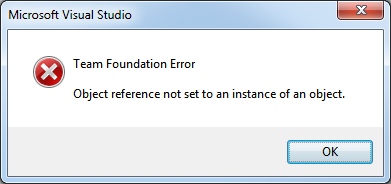
The solution I found for myself is to add a task to the Windows Task Scheduler. The task simply runs TFSBuild.exe with certain parameters.
set tools=C:\Program Files (x86)\Microsoft Visual Studio 10.0\Common7\IDE
"%tools%\TFSBuild.exe" start "%collection%" "%project%" "%definition%" /queue
However, if changes to the code are not made regularly, there is no point in running a build that would be no different from the previous one (already done).
So a new problem appears: we need to figure out whether a build is needed at all.
I solved it with this utility:
"%tools%\tf.exe" history
You can just compare its output with the previous one. If the output hasn't changed, there's no reason to build.
The end result is build.cmd.
You can use it like this:
build.cmd https://tfsserver/tfs/defaultcollection ProjectName BuildName $/ProjectName/BuildName
Only registered users can leave a comment.
Sign in or register to leave a comment.