Fiction Book Reader 8.1 (updated 08.08.14)
For several months now I've been hard at work on a universal version of the reader for Windows 8.1 and Windows Phone 8.1.
And now I want to show you a draft of the new apps. There will still be 2 separate apps (one for Windows 8.1, the other for Windows Phone 8.1), but they will now have far more in common than before.
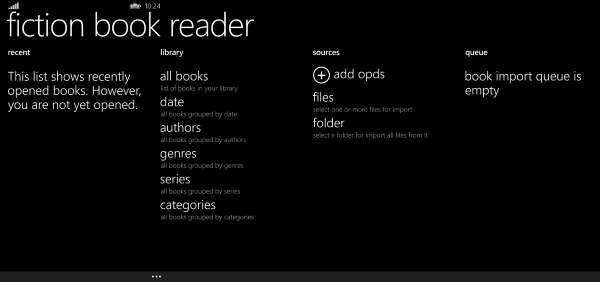
This is roughly what the main page will look like on Windows Phone 8.1
And this is how it looks on Windows 8.1.
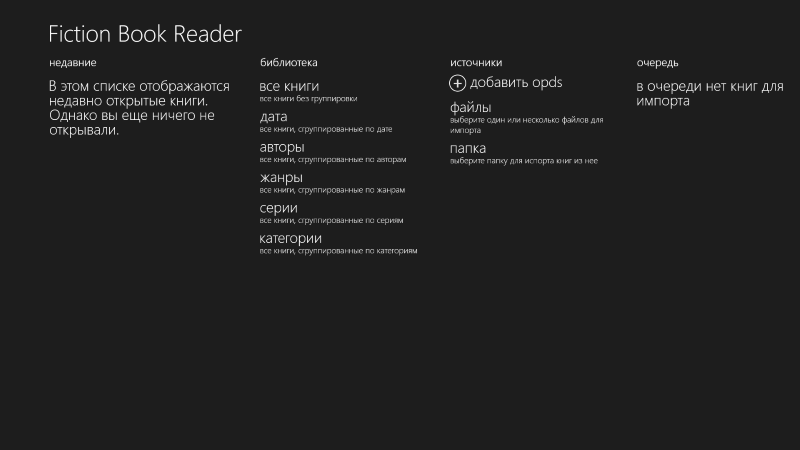
As you can see, almost everything has changed. What's more, the apps now take the same approach to solving the same tasks.
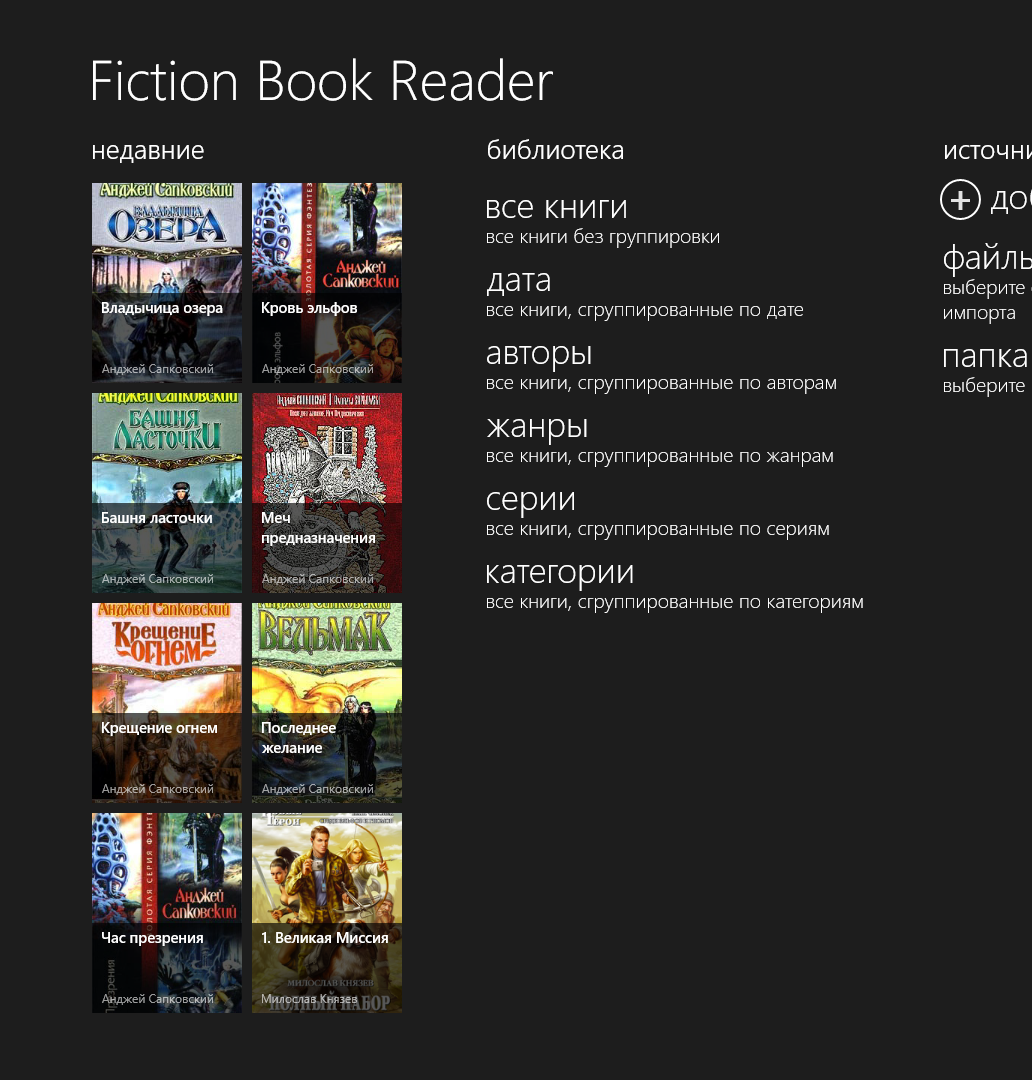
Recently opened books As the name suggests, this section shows the books you opened most recently.
Library You already know this section from the current version of the Windows Phone app. It contains links to the different sections of your library.
Sources The important thing to say about this section is that the app will no longer have explicit integration with OneDrive and Dropbox. Instead, you'll be able to open a file or a folder from anywhere on your devices. That can be the device's main "drive", an SD card, or any app that acts as a file provider. In other words, you can still open files from OneDrive. Explicit integration just isn't needed anymore.
Queue The download queue will now be available in services for both Windows Phone 8.1 and Windows 8.1. Moreover, you won't need to open a separate page to see its status. Many users couldn't find it, even though I thought it was obvious.
In the Windows 8.1 version you no longer need to open the bottom app bar to import files. One of the reasons for this change is that far from all users figured that out. They saw an empty screen and didn't understand what to do to open their book.
Continued 06.08.2014: The library
Everything starts on the app's main page. We can open the library directly in the section we need:
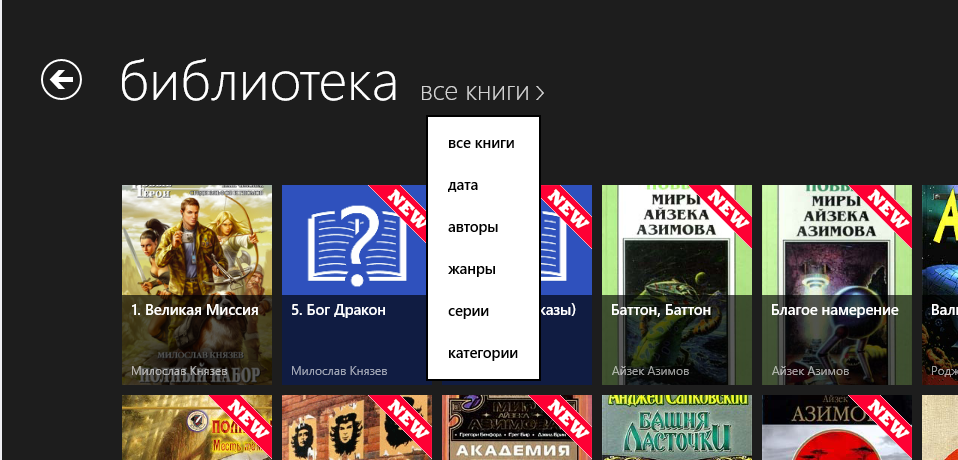
Open the "all books" section and you see (who would have thought) all the books.
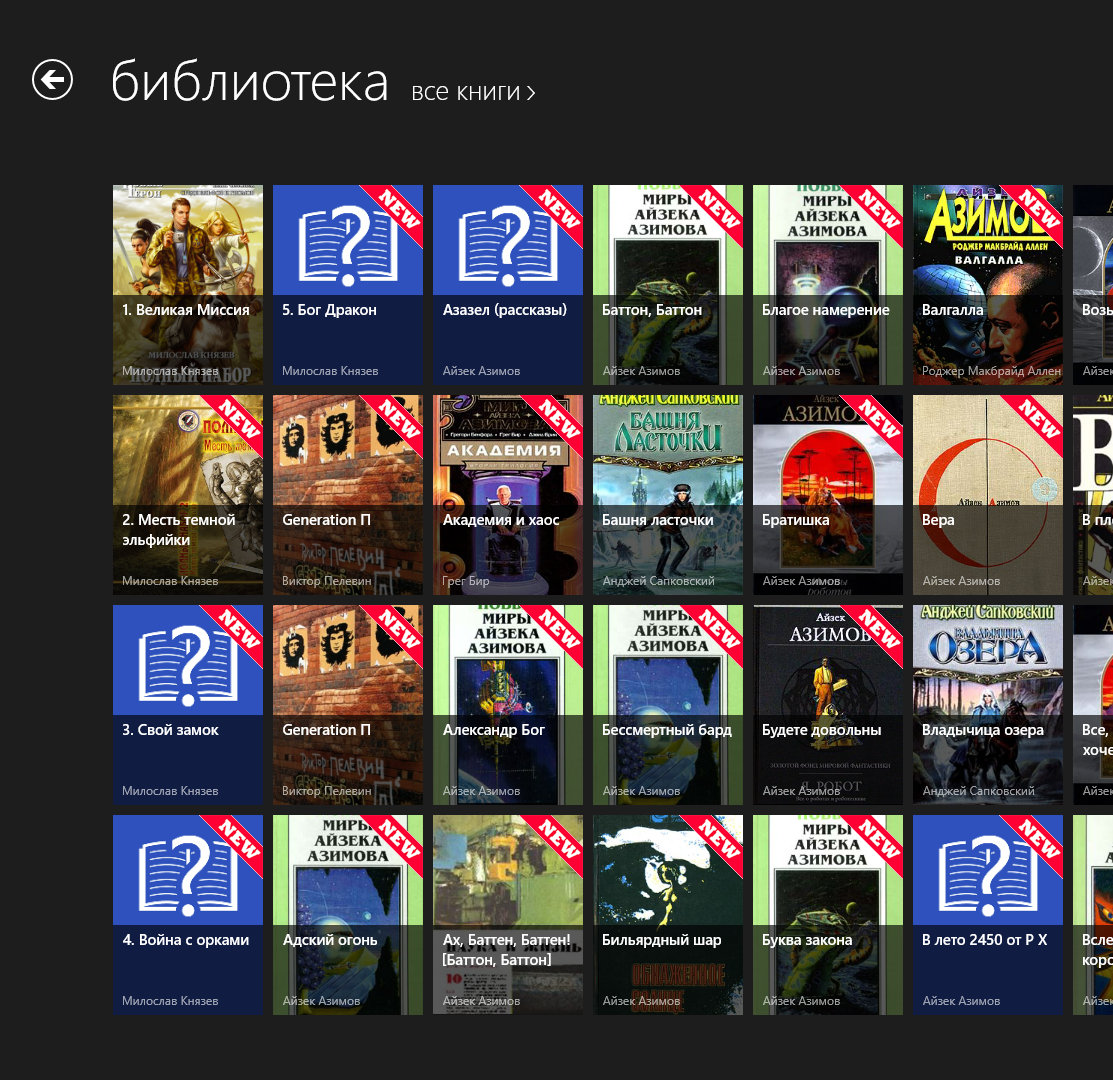
To switch to another section, tap the section name and choose the new section from the drop-down menu.
As a demonstration, let's pick the "genres" section.
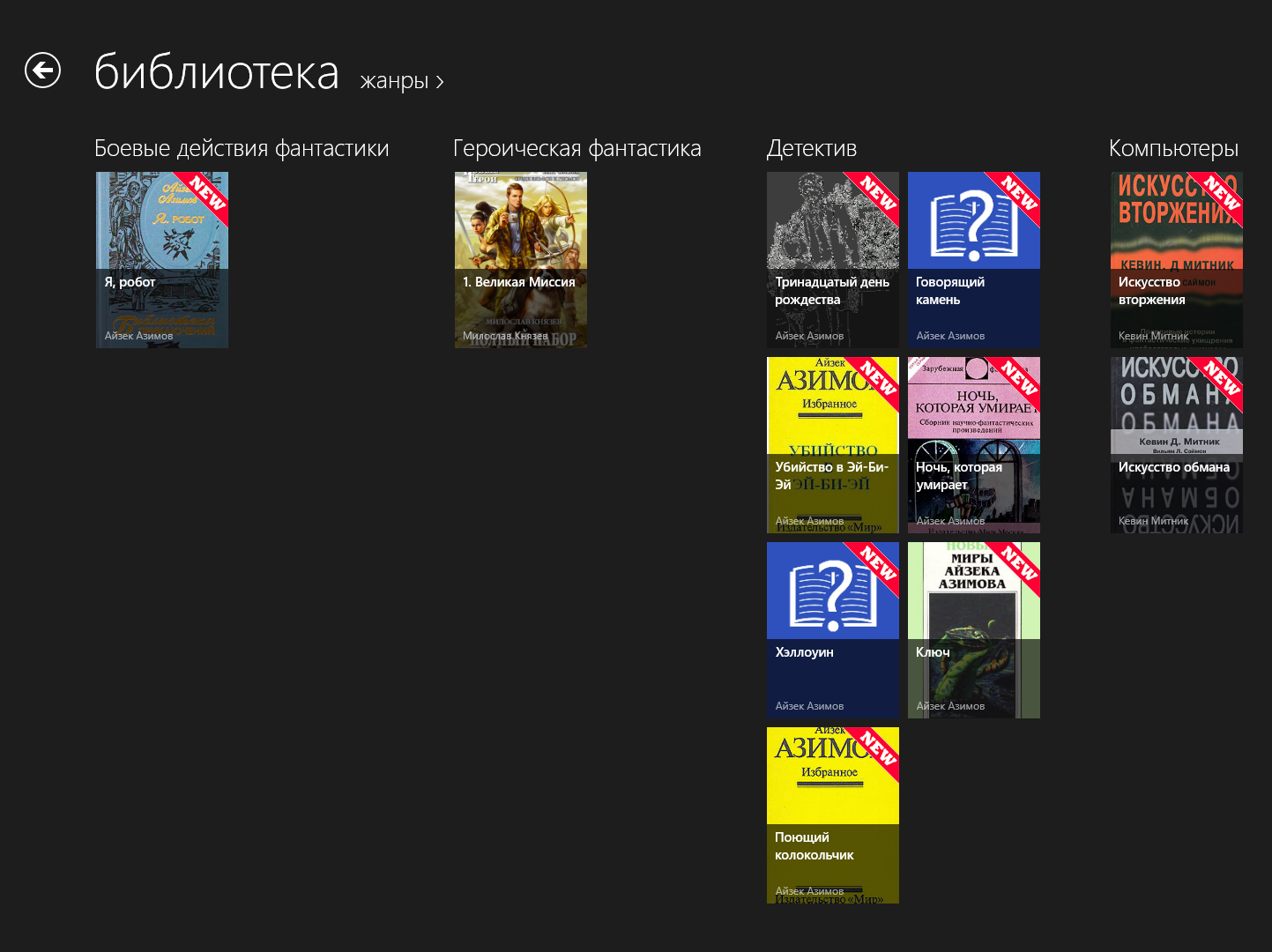
The books are now grouped by their genres.
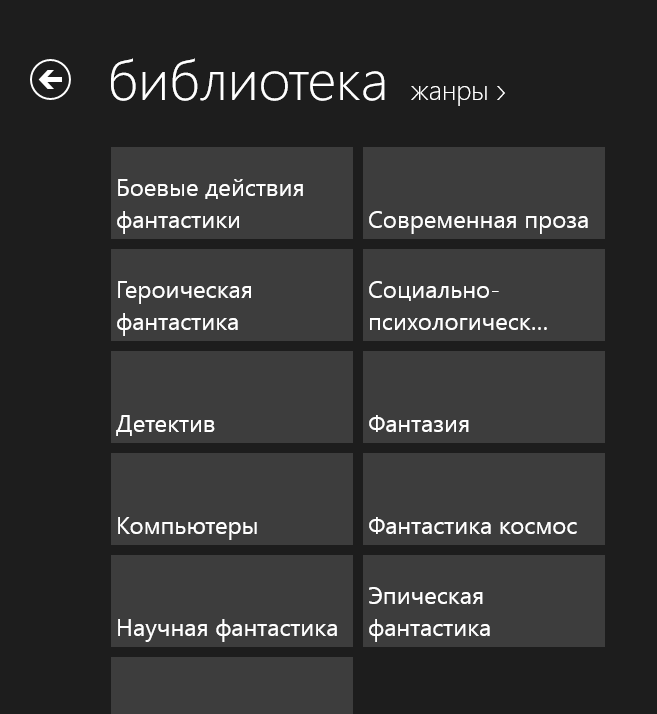
To jump quickly to the genre you're interested in, you can use zoom.
Continued 08.08.2014: The reading page
The reading page gets a major makeover.
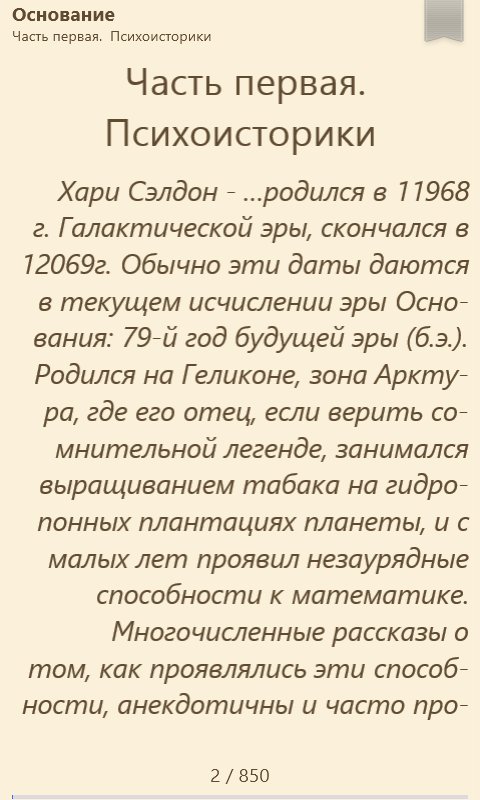
The new screen matches the one in the Windows 8.1 version, with the controls laid out the same way.
The header contains the book title, the current chapter and a button to add or remove a bookmark.
The footer contains the current page number, the total number of pages and a reading progress bar for a quick visual cue.
Not here yet: the time and the battery level.
But you can always do this:
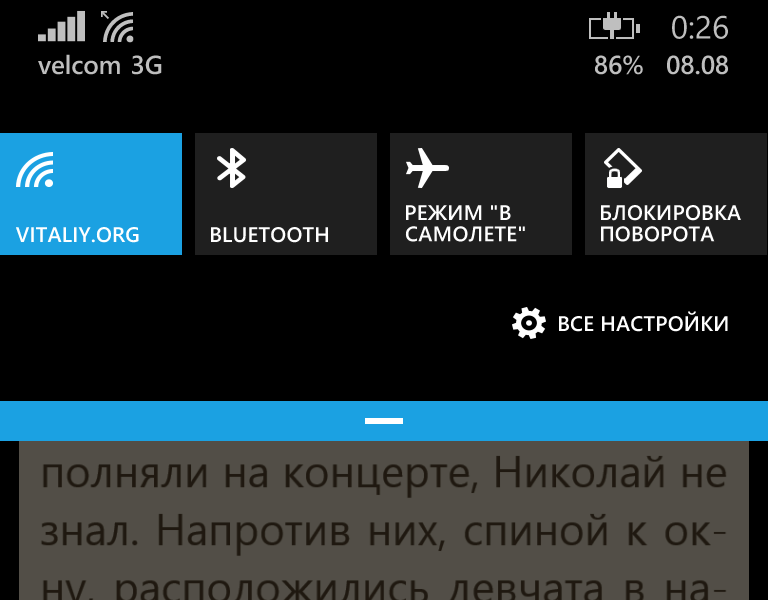
So maybe it isn't needed after all?
Continued 08.08.2014: Time and battery level
I decided that the time and the battery level should be shown after all. I already find it inconvenient without them myself.
Only registered users can leave a comment.
Sign in or register to leave a comment.